In the ever-evolving landscape of display technology, the 120Hz monitor has emerged as the definitive “sweet spot” for 2025. Whether you are a competitive gamer, a creative professional, or someone who simply spends eight hours a day staring at a screen for work, the transition from standard 60Hz to 120Hz is arguably the most impactful upgrade you can make to your desk setup.
1. Defining the 120Hz Monitor: What Does it Actually Mean?
At its core, “120Hz” refers to the refresh rate of the monitor. The refresh rate, measured in Hertz (Hz), tells you how many times per second the screen updates the image it is displaying.
- Standard 60Hz: Refreshes the screen 60 times per second.
- 120Hz: Refreshes the screen 120 times per second—exactly twice as fast.
When a screen refreshes more frequently, the motion between frames looks significantly more fluid. In a 120Hz environment, the “ghosting” or “blur” behind moving objects—like your mouse cursor or an enemy character in a game—is drastically reduced.
2. The Psychology of Fluidity: Why Humans Notice the Difference
Many people ask, “Can the human eye even see 120Hz?” The answer is a resounding yes. While the human eye doesn’t work in “frames per second,” our brain is highly sensitive to motion clarity.
The jump from 60Hz to 120Hz is often described as moving from “stuttery” to “buttery.”
- Reduced Eye Strain: By providing smoother motion, the brain has to do less “work” to fill in the gaps between frames, which can lead to less fatigue during long work sessions.
- Increased Precision: In competitive gaming, the time between a frame being rendered by your PC and displayed on your screen is cut in half. At 120Hz, an image updates every 8.33 milliseconds, compared to 16.67 milliseconds at 60Hz.
3. Gaming Performance: The Console and PC Synergy
In 2025, the 120Hz monitor is no longer just for “hardcore” PC enthusiasts. It has become a necessity for console gamers as well.
The Console Revolution (PS5 & Xbox Series X)
Modern consoles now support 120Hz output at 1080p and 1440p resolutions, and even 4K via HDMI 2.1. Games like Call of Duty, Fortnite, and Apex Legends have dedicated “Performance Modes” that unlock 120 FPS. Without a 120Hz monitor, you are essentially “locking” your console’s potential.
PC Gaming: The Competitive Edge
For PC gamers, 120Hz is the minimum entry point for competitive play. It offers a tangible advantage in reaction time.
Note: To fully utilize a 120Hz monitor, your computer’s Graphics Processing Unit (GPU) must be powerful enough to output 120 frames per second (FPS). If your GPU only produces 60 FPS, the monitor will still only show 60 unique images per second.
4. Productivity and Professional Use: Beyond the Game
A common misconception is that 120Hz is only for gamers. In reality, it is a game-changer for productivity.
- Fluid Scrolling: Scrolling through long Excel sheets, PDF documents, or infinite social media feeds feels incredibly smooth.
- Graphic Design and Video Editing: Professionals can see the precise movement of their tools. When editing 60 FPS or 120 FPS footage, having a matching refresh rate is essential for accuracy.
- MacBook Pro and iPad Pro Users: Apple has popularized 120Hz (branded as ProMotion) on its devices. If you use a MacBook with ProMotion and then switch to a 60Hz external monitor, the “lag” becomes immediately noticeable and frustrating.
5. Key Specifications to Consider in 2025
When shopping for a 120Hz monitor, the refresh rate is just one piece of the puzzle. You must also consider these critical technical specs:
| Feature | Recommended Spec for 120Hz | Why it Matters |
| Panel Type | IPS or OLED | IPS offers great colors; OLED offers near-instant response times. |
| Response Time | 1ms (GtG) | Prevents “ghosting” or trails behind fast objects. |
| Connectivity | HDMI 2.1 or DisplayPort 1.4 | Required for 120Hz at 4K resolution. |
| Sync Tech | G-Sync or FreeSync | Eliminates “screen tearing” by matching FPS to Hz. |
6. Resolution vs. Refresh Rate: The Eternal Trade-off
Choosing a 120Hz monitor often involves a choice in resolution:
- 1080p (Full HD): Most affordable. Best for budget competitive gamers who prioritize speed over detail.
- 1440p (QHD): The “Sweet Spot.” Offers sharp text for work and high-fidelity visuals for gaming without requiring a $2,000 GPU.
- 4K (UHD): The premium choice. Ideal for PS5/Xbox Series X and high-end creative work.
7. The Rising Trend: 120Hz Ultrawide Monitors
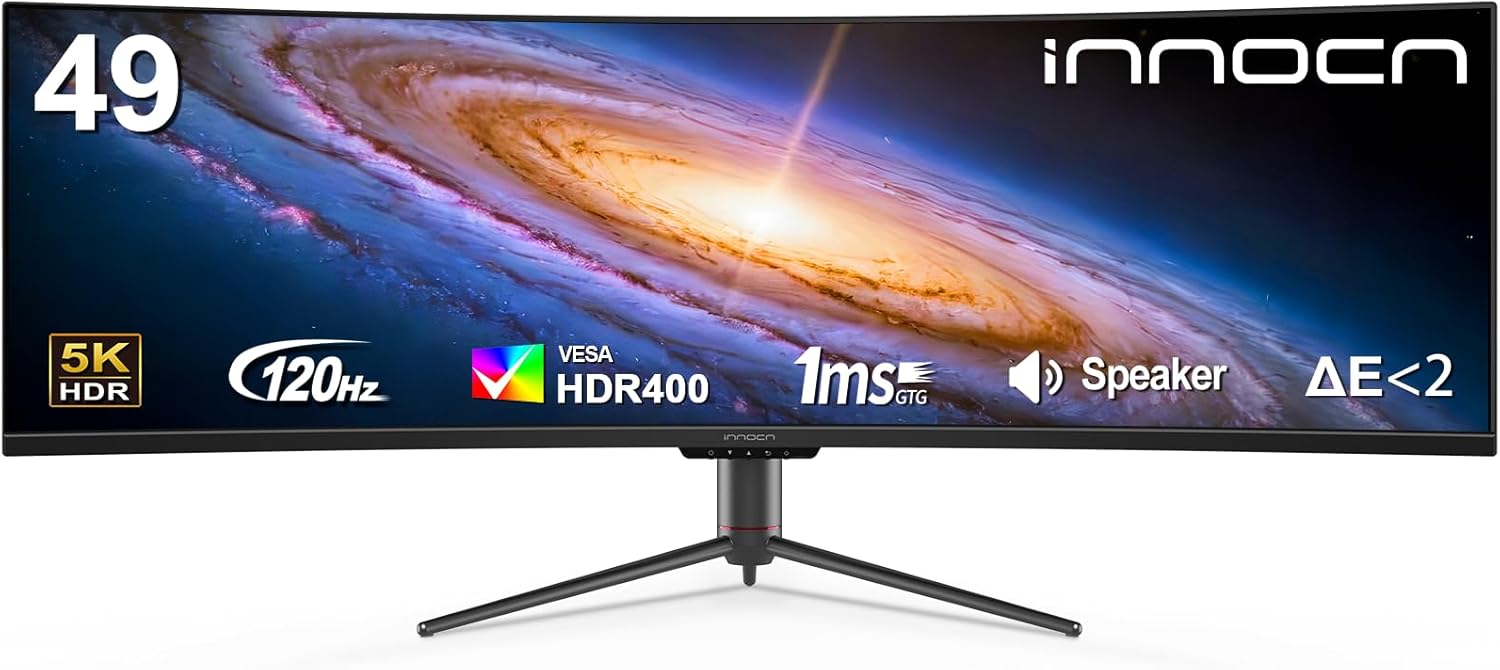
For those who want maximum immersion, the 120Hz Ultrawide monitor (21:9 aspect ratio) has become a top-tier choice. The extra horizontal space is perfect for multitasking with multiple windows open side-by-side, and the 120Hz refresh rate ensures that moving windows between these spaces is seamless.
8. Troubleshooting: Why is my 120Hz Monitor only showing 60Hz?
Many users buy a high-refresh monitor only to realize they are still stuck at 60Hz. Common culprits include:
- The Cable: Standard HDMI cables may not support high refresh rates. Ensure you are using a High Speed (HDMI 2.0/2.1) or DisplayPort cable.
- Windows Settings: You must manually go to Settings > System > Display > Advanced Display and select “120Hz” from the drop-down menu.
- GPU Driver: Ensure your NVIDIA or AMD drivers are up to date.
9. Conclusion: Is 120Hz Worth the Investment?
In 2025, the 120Hz monitor is no longer a luxury—it is a standard for quality of life. The leap from 60Hz to 120Hz is much more noticeable to the human eye than the jump from 120Hz to 240Hz. For the average user, 120Hz represents the point of diminishing returns; it provides all the smoothness you need for a premium experience without the astronomical price tags of 360Hz or 500Hz “pro-only” displays.
Whether you’re dodging bullets in a virtual world or simply navigating your inbox, a 120Hz monitor makes every interaction feel more responsive, crisp, and enjoyable.
About the Author